Firecracker microVMs · one per run, booted on call

A Firecracker box for every agent run.

Each task gets a Linux microVM of its own — real kernel, root, Docker and a disk that stays put. Drive it from the CLI or API, snapshot the state that works, and fork it when you want more than one shot.

  1. 01 create ✓ done
    moil create --name run-42✓ run-42 is up  firecracker · 4 vCPU · 8 GiB  /data mounted (20 GiB)
  2. 02 exec ✓ done
    moil exec run-42 -- npm test  Test Files  18 passed       Tests  214 passed✓ exit 0
  3. 03 snapshot · fork ✓ done
    moil snapshot run-42 --name green✓ saved greenmoil fork run-42 --count 3✓ run-42-1 · run-42-2 · run-42-3
Install the CLI and boot your first box
npx moil@latest

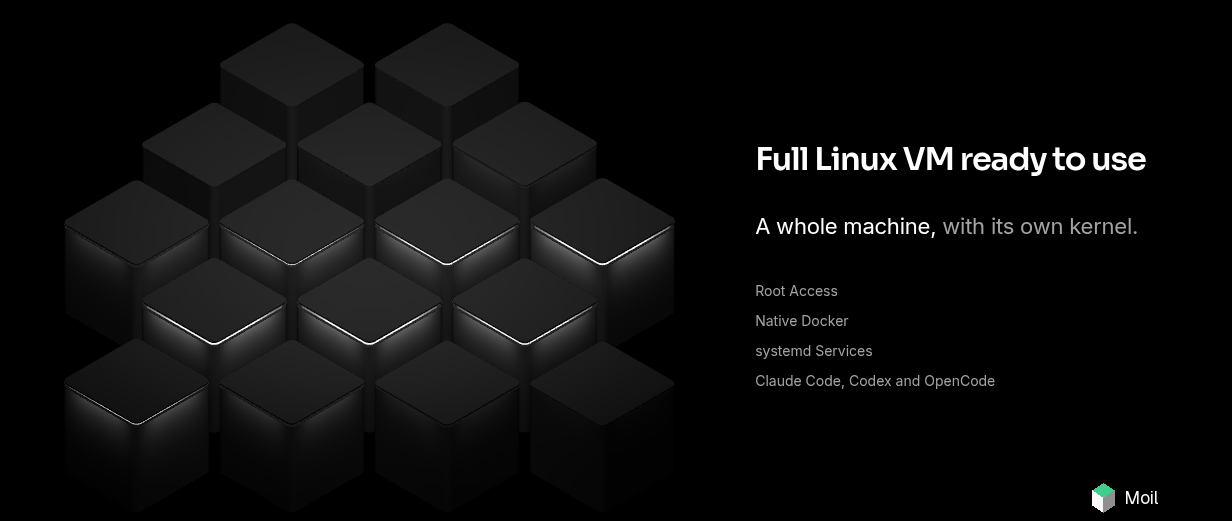
Full Linux VM

A whole machine, with its own kernel.

Root access, native Docker, systemd, and the agents your team already uses — each on a Firecracker box of its own.

Isometric glowing cube cluster representing Moil Linux VMs for AI agents, with tech logos on cube faces and feature list: Root Access, Native Docker, systemd, Claude Code, Codex, OpenCode.
Moil product illustration — isometric cube wall of agent-ready Linux VMs.
Close-up of Moil isometric cube cluster with developer tool logos.
Moil Full Linux VM product still.

Isolation first

Untrusted code gets a VM boundary, not a shared kernel.

Agents install things, run things and occasionally break things. Moil assumes that, and gives each run walls that are actually walls.

// what every box getsfirecracker · kvm · per-run

  • A Firecracker microVM per run

    Every box boots as its own KVM guest. Agents, tenants and runs never share a kernel.

  • Root inside, nothing outside

    Hand the agent sudo, systemd and native Docker. The blast radius ends at the box.

  • Keys scoped to one workspace

    API keys carry only the scopes you grant and stop at their workspace. Revoke one, the rest keep working.

  • Secrets that never land on disk

    Credentials are added at the egress proxy, for hosts you allow. Code in the box only sees a stand-in value.

Lifecycle & snapshots

Boxes that keep their place — and can split in two.

Long agent runs stall, wait on humans and wander off course. Pause them without losing the thread, and branch them before a risky step.

run-42 · running
moil resume run-42
Pick a state, or let it cycle.
What each box state keeps
PropertyRunningPausedStopped
Files & /datakeptkeptkept
Memory & processeslivefrozen, keptgone
Comes back with—resume, mid-thoughta fresh boot
Meteredcompute + diskdiskdisk

Pause mid-thought. Resume mid-thought.

Paused boxes keep memory and processes; stopped boxes keep their files.

  • Idle auto-pause you can tune per box
  • A persistent /data disk across restarts
  • New boxes that boot from a snapshot
  • Wake on CLI, API, SSH or an inbound request

Fork the run before it goes sideways.

Copy the box on its host, then let three attempts race.

  • Root disk and /data copied in place
  • Same template, same size, new name
  • The source box keeps running untouched
  • Keep the winner, delete the rest
Open port 3000 and test the checkout

Give the agent a screen. Keep a hand on the mouse.

A Linux desktop and a real browser, driven over the SDK.

  • Screenshots, clicks and keystrokes as API calls
  • Chromium that keeps its sign-ins between runs
  • Take the wheel, then hand it back
  • Share a watch-only link to the desktop

Your CI is one runs-on line away.

Swap the label, keep the workflow you already have.

How CI runners work

  • A clean box per job, gone when it ends
  • Ubuntu 24.04 with the usual toolchains
  • Sizes from 2 to 32 vCPU
  • No GitHub App? Call the CLI from any CI
.github/workflows/test.yml
name: teston: [push, pull_request]jobs:  test:    runs-on: ubuntu-24.04    runs-on: moil-medium    steps:      - uses: actions/checkout@v4      - run: npm ci && npm test
Each job gets a fresh 4 vCPU · 8 GiB box, deleted when the job ends.
Jobs · push to main
  • lint moil-medium passed
  • test (node 22) moil-medium passed
  • e2e (chromium) moil-medium passed

Plans

Start on one free box. Pay for running time after.

Compute is metered by the second while a box runs. Paused and stopped boxes only hold their disk, and paid plans include a month of usage in the price.

Free

$0


One box, on the house.

Start free
  • 1 box running at a time
  • 4 vCPU / 8 GiB box
  • 20 GiB disk
  • 5 snapshots

Pro

Recommended

For one builder running many agents.

Choose Pro
  • $29 of usage included monthly
  • 50 boxes running at once
  • Up to 8 vCPU / 16 GiB per box
  • 250 GiB disk included

Team

Shared workspaces for a whole team.

Choose Team
  • $249 of usage included monthly
  • 250 boxes running at once
  • Up to 32 vCPU / 64 GiB per box
  • 2 TiB disk included

Enterprise

Custom


Your limits, your capacity.

Talk to us
  • Custom concurrency and box sizes
  • Dedicated capacity
  • Volume rates
  • Custom terms

All prices in USD. Usage beyond what a plan includes is billed at the unit rates.

Unit rates and the cost calculator

Let the agents do the moil.

One box per run. Snapshot it when it works, fork it when you want options, delete it when you’re done.

Questions first? Write to support@moil.dev or use the contact form.